 CompanyCam
Field Appointment Scheduling Built for CompanyCam
The only tool that pre-qualifies leads and schedules using real drive times.
Exclusive CompanyCam Offer
For CompanyCam customers seeking a scheduling solution
2 Months Free
No fees, no commitment
Online booking works for every other industry. Now it works for ours.
What you get with Driive
Happier scheduling teams. More efficient sales teams. On-time and optimized technicians.
Book from CompanyCam Projects
Schedule appointments directly from your CompanyCam projects. Everything stays connected.
Photos in Your Lead Form
Customers upload jobsite photos as part of booking. See what you're walking into before you arrive.
Auto-Sync to CompanyCam
Photos from lead forms automatically sync to the associated CompanyCam project. No manual uploads.
Drive-Time Optimized Booking
Appointments are scheduled with built-in travel time. Your team arrives on time, every time.
Train Driive on Your Workflow
Teach Driive the complexities of your scheduling. It learns your service areas, job types, and team capacity.
No Double Booking
Google Calendar and Outlook integrations prevent scheduling conflicts across your entire team.
The complete flow
Your sales team walks in the door already knowing what they're looking at. That changes the whole dynamic of the estimate.
Customer takes or uploads photos during booking
Photos before they even book.
Your lead form prompts customers to take or upload photos of their project. They can capture the problem area, existing conditions, or anything that helps your team prepare.
Driive creates and links the CompanyCam project
Automatic project creation.
When a booking comes in, Driive automatically creates a CompanyCam project and links it to the appointment. Customer photos are synced instantly - no manual work required.
Your team arrives prepared
Walk in the door knowing exactly what you're looking at.
No surprises. No wasted trips. Your sales team sees the jobsite photos before they even leave the office. That changes everything about the estimate.
Book appointments directly from CompanyCam projects
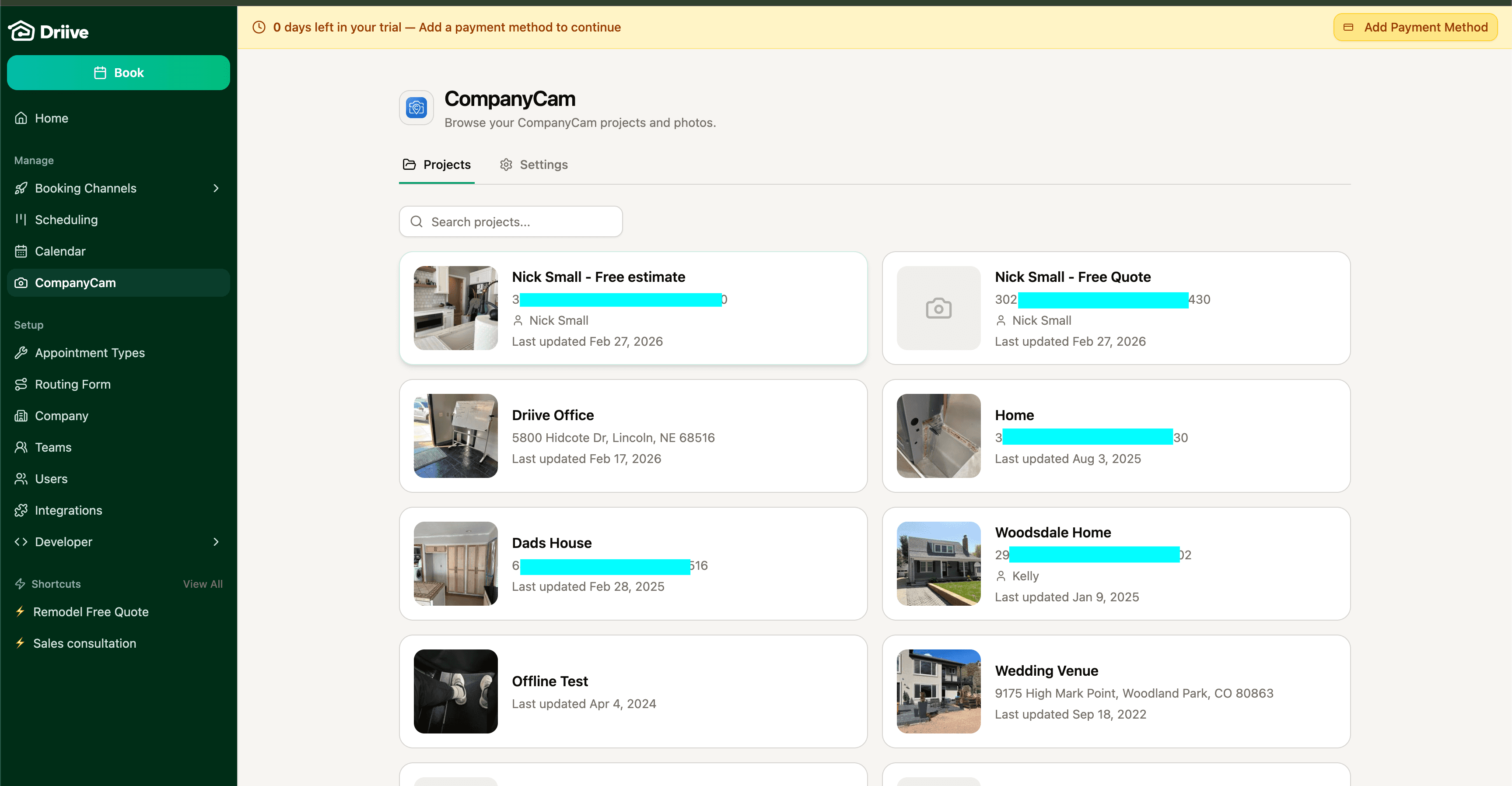
Browse all your CompanyCam projects directly in Driive
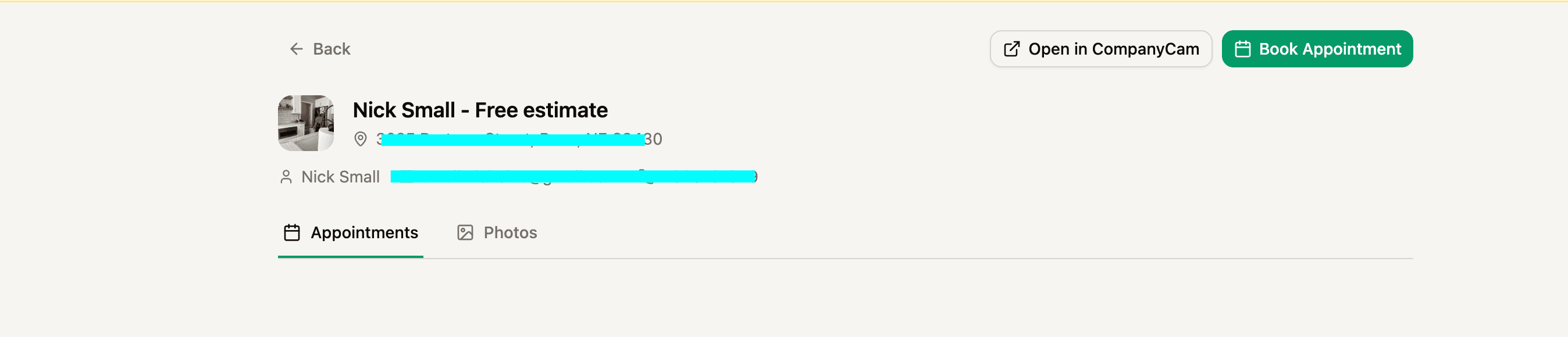
Click any project to book a follow-up appointment
Need a follow-up? Book it right from the project.
Browse your CompanyCam projects in Driive and schedule appointments with one click. All photos and project details are already there.
How the integration works
Driive and CompanyCam work together to streamline your booking-to-project workflow.
Customer books online
Leads fill out your custom booking form with photos of their project.
Driive qualifies & schedules
AI scores the lead and books the appointment with drive time built in.
Project syncs to CompanyCam
Customer photos and project details are ready in CompanyCam when you arrive.
Team
Built by Home Services CEO and
2 Former CompanyCam Leaders

Quinn Small
CEO & Co-founder
Former CEO of Custom Blinds & Design (25+ employees). Experienced the scheduling problem firsthand and built Driive to solve it.
LinkedIn
Nick Small
CRO & Co-founder
Former VP at CompanyCam. Nick spent 8 years building CompanyCam's GTM engine from the ground up. Passionate about bringing better solutions to the trades.
LinkedIn
Corey Collins
CTO & Co-founder
Former Director of Product at CompanyCam. Corey built a lot of the product we know as CompanyCam, including Checklists, AI Walkthrough, and automation workflows.
LinkedInReady to streamline your scheduling?
Get 2 months of Driive completely free. No credit card, no commitment.
Get Started FreeReach out directly: nick@getdriive.com
Learn more about the integration
How to Connect Driive and CompanyCam: Step-by-Step Guide